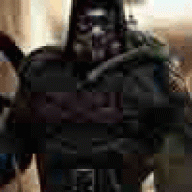
July 3, 200718 yr Spent a little time doing a sig on my favorite Transformer from the movie: Barricade. Speaking of, that was the best movie I have ever seen in my LIFE. Ever. Bar none. Go see it.
July 3, 200718 yr Speaking of, that was the best movie I have ever seen in my LIFE. Ever. Bar none. Go see it. -Ok fine...if I gotta... :thumbsup: :thumbsup:
July 3, 200718 yr Author wow nice job dude wish I knew how to do stuff like that:D Thank you tutorials...
July 4, 200718 yr Author Bring out the render and the text more. They both blend a bit too much. ^^; I felt the same way, but unfortunately I screwed with it a bit too much and forgot to save one with just the render on top.
July 4, 200718 yr I felt the same way, but unfortunately I screwed with it a bit too much and forgot to save one with just the render on top. If you still have the .PSD and a layer with the render on it, just duplicate it. If that layer has anything else on it, just erase everything but the render. :]
July 4, 200718 yr Author If you still have the .PSD and a layer with the render on it' date=' just duplicate it. If that layer has anything else on it, just erase everything but the render. :'] Ah, good call. I could just layer it onto the .jpeg. And the render is under a color adjustment layer or two I think. Or is supposed to be anyway. nice sig jak. Thanks Impact
July 4, 200718 yr You can just bring the render over and then drop opacity or maybe overlay? I dunno. Suggestions complete! Good work so far!
Join the conversation
You can post now and register later. If you have an account, sign in now to post with your account.