
Kol Klink
Armory Member
-
Joined
-
Last visited
Everything posted by Kol Klink
-
Sounds good to me and thanks K2.
-
You did it right when I looked it was there. Ya, I could do better I guess but simplicity and the humor make up for it.
-
-
Just playing around a little KT. Practicing some techniques.
-
-
Nevermind the bar, get him on Vent like that.
-
You don't have to remove your account but I will by Friday if that's what you want.
-
You're screwed lol. J/K sorry bout your trouble but that is what I had with the Euro pack and could never fix it short of reinstalling and I didn't do that for the lousy maps of that pack.
-
Jail? I now have to deal with all the same tattooed pierced freaks that ride the bus for the first time and have no idea where to go. Also, the other half are on bikes riding all over the damn road.
-
We could call the Open Armsory. All nations welcome LOL.
-
Ah I see cool. No offence was meant I was just fooling.
-
I think it was the BLUE pill. I watched it last year and forgot to watch it this new season. I have been watching Gene Simmons Family Jewels and that is pretty funny.
-
Uhhh, no steveO I read some tutorials to get some ideas because photoshop has so many more features than paintshop that I wanted to see what some more of them were. I didn't follow any tutorials but just picked out pieces to use because I couldn't figure out the things on my own. Now I can do them myself though I think without any help.
-
Those ARE nice but aren't we multinational?
-
start with a transparent background and then make it one of the darker colors of your render with the eyedropper. Add you render where you want it to be then add another render a little to the left and another a little to the right all different layers. Smudge the 2 offset renders with a brush of your liking following the outline of the render to make it look good. Then add some C4D's to fill in. C4D's are the ribbony looking things you can get at gamerenders or Planetrenders.net. Add them like a render and resize them on your sig by using Ctrl T to get the resize grid to come up. Line them up so they compliment your render then make one lighten, one linear dodge one color dodge to your liking. Whatever looks good to you. Erase the parts you don't want on top of your render. If it gets too messy add another of your render in a layer and keep going til you get the effect you want. Then your render will look like it blends with the ribbony stuff on top of it a little. you can add some curves to a render and change the color and hue if you like just see what looks good and do it. Oh ya, add a light effect right behind the render to make the light look. Add your text and stroke it ( before Boja tells you to ) and you are done.
-
I won't bother you guys with anymore for a while after this one. LOL.
-
Thank you Boja, My skills are like an angry 42 year old with crayons LOL.
-
Whatta ya think? This photoshop is getting a little more familiar now. render by werewolf987 from Gamerenders.com
-
Ati X800xl.
-
Looks like fun but do you get to drive the trucks like in BF2?
-
-
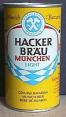
I know JPenn used to drink this for sure. /monthly_06_2011/post-582-130810186796_thumb.jpg
-
If I could do that you might never see me on the forums again.
-
New Photoshop CS job and necropost at the same time.
-
OK first try just to see what's what. Some brushing and some lighting things. This Photoshop is sure powerful compared to PaintShopPro 7. Inspired by Scoutnex
