
Kol Klink
Armory Member
-
Joined
-
Last visited
Everything posted by Kol Klink
-
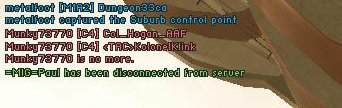
There are many impersonators. A KFC fan and a Col Hogan. I even saw another Klink. Hmmmm, I will exterminate him. /monthly_06_2011/post-582-130810176551_thumb.jpg /monthly_06_2011/post-582-130810176552_thumb.jpg

-
I got my pistol badge finaly. 7 kills in one round with pistol but then I see the next level is 7 kills in one round and 50 kills total. I got both at once but only got the 1st level. Ripped off. Oh well, at least I have acquired all medals through work and not by point farming or help from anyone.
-
Read the sticky on Game Tips for BF2. It's good for the beginner.
-
Yes, I was the biggest supporter of FA and now I wonder what I saw in that game.
-
Hi, ya you couldn't register as Duck Mugger because your old name was Duck Mugger and it is still in the files. You just have to find your old password and BOOM you're Duck Mugger again. That is if you were [TA]-Duck Mugger-( before
-
SteveO he never adds the dinosaurs or Cactii or anything that you suggest so give it up, LOL.
-
yaya I have the Jackhammer on my <TAC> account and the G36 on my other account. I got confused with DAO and the MK3A1.
-
Maybe photoshop is telling you to try a new technique.
-
-
-
you SPAMMED the other Tigerhawk.
-
I haven't tried but I'll do it next time I play.
-
-
I already have the DAO and I want the G3 not the G36. I am not confused steveO it is you that is confused.
-
Damn I missed it. Did you ban anyone for the last time BTD?
-
Oh, I didn't think it could get easier to get points.
-
There ya go KTown. It is a reflection of playing against you the other night. /monthly_06_2011/post-582-130810176533_thumb.jpg

-
How many times have I done the **** pilot LOLOLOLOLOL
-
I play SpecOps second most but I don't want that damn G36 witht the iron sights. LOL. I might take the G3 for Assault class.
-
When I reach 10,000 points do I get 2 more unlocks for a total of 3 or will I then just get 1 more unlock for a total of 2?
-
Ya there is an auto switch that makes sub standby but I have the sub switched to ON not auto. I also have it accepting all frequencies available not just really high or low but still same thing.
-
OK Hogan for the last time the g36 doesn't have dot. That is the M4.
-
I have a subwoofer that is in proper working order. I got it checked out to make sure it wasn't bad because I just bought it one month ago. Now, the problem is, it is intermittent. Some bass will come on and the sub will kick in then kick out. Most of the time though I am listening to only the surround, center and front speakers with no bass. This sounds bad. I have the frequency Xover set properly on the receiver and the gain and freq set on the sub. The power is on and the connection from sub to receiver is also good. Any ideas?
-
Ahhhh yes much better now after some tweaking. I saved as greyscale image by mistake that is why it is not color. /monthly_06_2011/post-582-130810176523_thumb.jpg

-
I got mine out in the chair and went to work 2 hours later. Toughen up kid.
