TigerHawk
Armory Member
-
Joined
-
Last visited
Everything posted by TigerHawk
-
Neatoman, thank you for bring this to our attention. We'll keep a watch on them. Now to clips and bass, you don't need to be rude to Neatoman, he was just letting us know about possible cheaters and to keep a watch for. I know you two are good but maybe he didn't know. There is no need to make someone feel bad about themselves because they made accusations about possible cheaters. Now that this matter has been brought to our attention and since this thread is starting to turn into a . I will now close this thread.
-
Yesssss!!! That's the song I have on my HLSS
-
Updated, I got bored last night and added a little to them. See below. <----made this for you Wellsy, since you asked.
-
-
Here are more of the Euro with flags http://www.thearmory.cc/gallery/files/5/3/1/eurode9zo.jpg http://www.thearmory.cc/gallery/files/5/3/1/eurobe3qv.jpg
-
I found two more a British FA player and Polish FA player.
-
Right on DH
-
well I haven't seen any but if I do I'll post it.
-
Your Welcome (Klink leave my bad grammar alone) BTW: did you put one in you're sig? :o (more bad grammar for ya)
-
I notice people had these on the FA forums and I noticed ripper had it too. So I posted them in our gallery so we could use them. There are Firearms Player, Canadian FireArms Player, U.S. FireArms Player and European FireArms Player. Check it out and put in your sig if you want. I did. Edit: DH made the Eskimo FA Player for ya Paladin
-
ok here you go it's NORTEX_REBOOTED zip. But in future just start a new thread about a topic and use a link for reference instead of bring up one from a long time ago. Edit: here is the blowup-sprites. Blowup-sprites.zip Blowup-sprites.zip
-
Like DH said you were banned for cussing and insulting an admin, then questioning server policy and not in a nice way. When an admin asks you nicely to stop doing something that is wrong, you don't start arguing with the admin about it. You say sorry I didn't mean too, and stop doing it not continuing arguing about it. If you have a problem about something you don't be rude about it just ask nicely or come to our forums and ask the question here in a nice manner and we (TAC) would be more than happy to answer your questions or concerns. But instead you came here being rude about your ban and said "The insulting of the admin came with him" with that being said your ban stays for now. Until we (TAC) looking into it at some future date and decide about your ban. This matter is closed.
-
mmmmmm Doooooonuts Welcome back
-
and been playin' EverQuest 2 ever since.
-
I believe that but gj on the 27 box kills so far . . . so klink what is your goal?
-
he said delete it not lock it. but all good
-
Me too. I looked really close and I see lines moving kind of giving a mist effect.
-
For me 1024 desktop, 800 BFV and 640 FA.
-
Ah ok makes sense
-
I don't have photoshop unless you like to give yours
-
messages??? if your talking about my private message I have but they are from the old website and it says I have not read them even though I did from before the move.
-
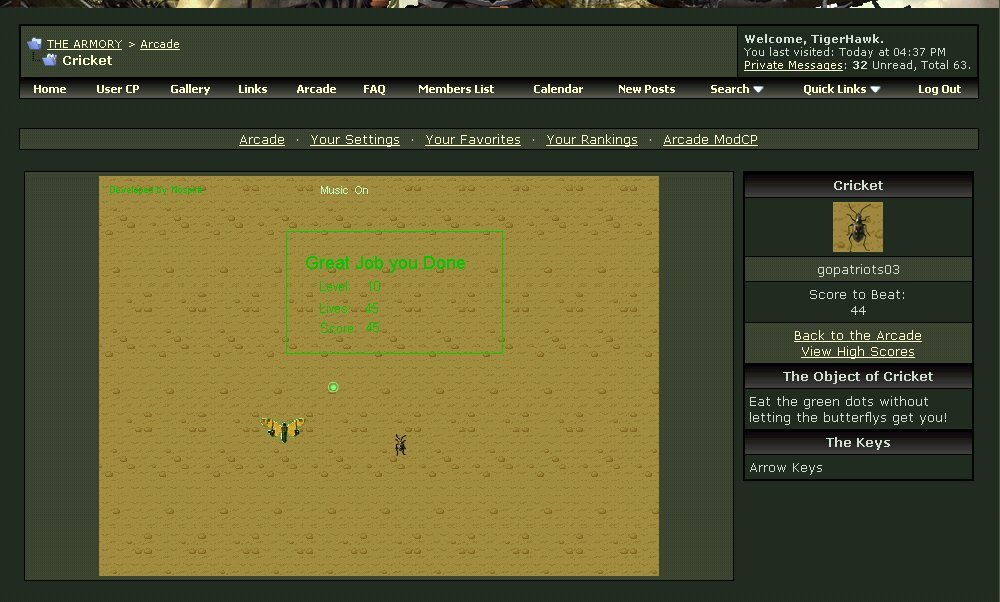
Since the cricket game doesn't refresh when you complete it and get the final score I took a screen shot to prove I got it first. BTW: I know the pic is a little blurry /monthly_06_2011/post-531-130810172946_thumb.jpg
-
Happy Birthday, Strobes, Hayabusa and The Griffter. :o
-
Happy Birthday :o
-
Yes like MS said I referred him but I didn't know where to find the link to send him. But ya I'm passing the word :o