

Everything posted by Gator
-
I had a decent round where I went 20 Kills 7 Deaths (I know, I know, that is very rare for me). Anyway, I was revived about 6 to 8 times. The stats in my "Profile" correctly reported the 7 deaths, and not the times where I was revived by a teammate. The kills, however, were not as accurate. It showed I only had 19 Kills, so maybe it does not count the "counts as a kill" as a kill stat. Can anyone confirm this...
-
Done!
-
[GALLERY=media, 14081][/GALLERY]
-
[GALLERY=media, 14080][/GALLERY]
-
Gator submitted a new resource: [plain]Bottleneck Calculator[/plain] - [plain]A website site that helps determine potential bottlenecks between your PC hardware[/plain] Read more about this resource...

-
I agree with you there. They could improve in that area for sure, as with most games.
-
You guys might also try this if it applies https://www.thearmory.cc/threads/how-to-disable-highlights-and-nividia-geforce-experience-in-game-overlay.29759/#post-274637
-
Does your game have any stutter or lag? Do you have NVIDIA GeForce Experience installed? Apparently, the "Highlights" app continuously writes to a temp folder on your hard drive, which may cause some lag during gaming. I hope this helps someone else, because it helped me with stutter and lag I experienced while playing Battlefield V. My game now runs buttery smooth. https://www.youtube.com/watch?v=PwQFCGvo__0
-
- You spawn with 3 clips of ammo and one med pack (med pack good for one use) - Your supply person can give you more ammo, but they cannot give you explosives like grenades, RPG ammo, etc. You must get these items from the ammo boxes located at each flag cap area - Tanks also run out of ammo and must get supplied from one of several designated repair/ammo stations located around the map. - Aircraft can only bomb once, and then must fly to a midair ammo resupply area (usually two locations on the map) I hope this clears up any questions about ammo. If anyone else has more to add, please do.
-
- You get 3 clips of ammo when you spawn (one of those is loaded in your weapon). - A Support guy can throw you one extra set of rounds in clip at anytime, too include when you first spawn in - You also start out with one med pack per person that you can use once in battle to fix your wounds. You can get additional med packs from your squad medic or at one of the ammo/med stations located at each flag/cap point). NOTE: The ammo and med stations are separated and located at different places around the flags.
-
I'm not sure what you're referring to in so far as the attrition system, so can you be more specific?
-
[GALLERY=media, 14079][/GALLERY]
-
Hah... I am still thinking about getting it again, but this time I will get the $45 starter package instead.
-
I would guess that would prevent someone from parashooting to very high unreachable point to stop super-snipers.
-
[GALLERY=media, 14078][/GALLERY]
-
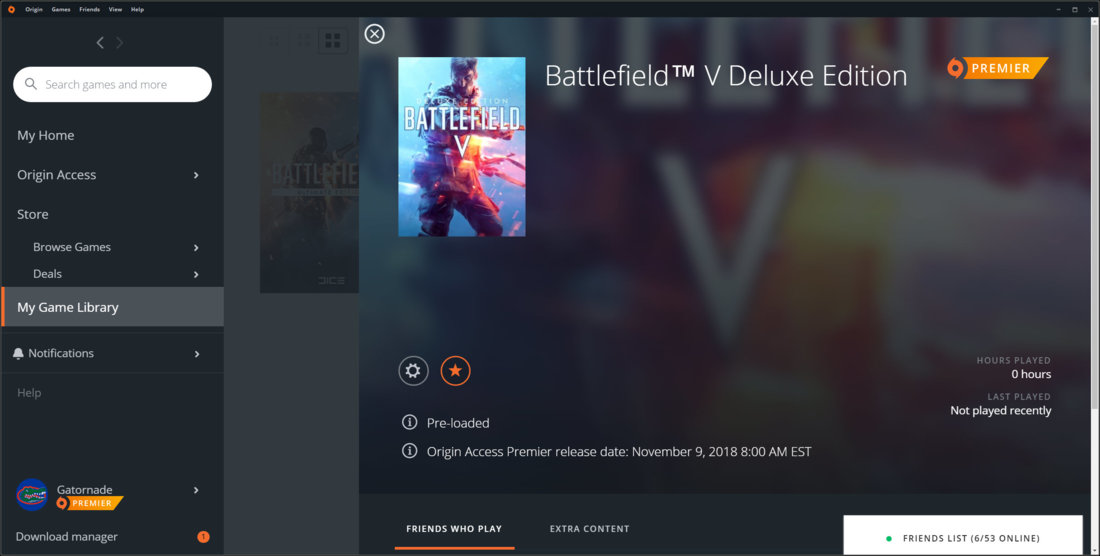
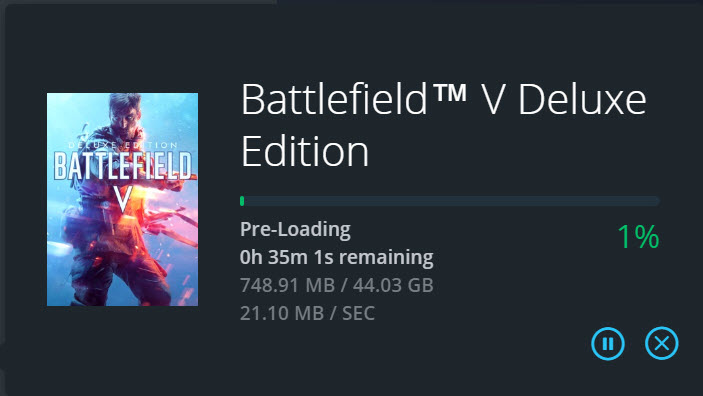
Had a blast playing yesterday. I don't know if it was by design, but they let us play early.
-
-
-
Oh my...
-
It shows their dedication to making the game the best it can be. Love it!
-
Actually, we can play at 08:00 AM on the 9th as well, which makes us start the same time as you.[GALLERY=media, 14077][/GALLERY]


Account
Navigation
Search
Configure browser push notifications
Chrome (Android)
- Tap the lock icon next to the address bar.
- Tap Permissions → Notifications.
- Adjust your preference.
Chrome (Desktop)
- Click the padlock icon in the address bar.
- Select Site settings.
- Find Notifications and adjust your preference.
Safari (iOS 16.4+)
- Ensure the site is installed via Add to Home Screen.
- Open Settings App → Notifications.
- Find your app name and adjust your preference.
Safari (macOS)
- Go to Safari → Preferences.
- Click the Websites tab.
- Select Notifications in the sidebar.
- Find this website and adjust your preference.
Edge (Android)
- Tap the lock icon next to the address bar.
- Tap Permissions.
- Find Notifications and adjust your preference.
Edge (Desktop)
- Click the padlock icon in the address bar.
- Click Permissions for this site.
- Find Notifications and adjust your preference.
Firefox (Android)
- Go to Settings → Site permissions.
- Tap Notifications.
- Find this site in the list and adjust your preference.
Firefox (Desktop)
- Open Firefox Settings.
- Search for Notifications.
- Find this site in the list and adjust your preference.