Mercury
Armory Member
-
Joined
-
Last visited
Everything posted by Mercury
-
-
-
-
-
-
-
-
Oh no - not Eva. Had to do Eva. :thumbsup:
-
Is there anyone out there not making sigs!!!! :thumbsup:
-
Just get a crap load of money and buy one!!! Sheesshhh! :thumbsup:
-
Hey!!! I just got accepted at Nova Southeastern to start my Master's Degree in Information Science and Security. Come to think of it now.... I do have a hole where a pierced earring once was and a small tattoo.... Guess you're right! :thumbsup: But I drive though!!!!
-
Has anyone suggested that since 2/3 of the votes are for running our own server that we alternate between BF2 and BF2:SF say every other day or weekly? I could dig that. Merc
-
Could it be because my dad is the CEO of EA Games? But don't tell anyone I guess then I'd be the son of satan!!!
-
So what does this exactly mean? Did you get a key already or are waiting for it? It looks like I'm in too.... Congratulations on your successful pre-registration to the Battlefield 2142 beta. As a pre-registered user your beta slot is reserved and guaranteed! Next week you will receive an email with details on claiming your beta key, downloading the Battlefield 2142 beta file, and access to beta services. As a subscriber, keep an eye on FilePlanet.com next week for more great exclusive events! If you have any further questions, see the Battlefield 2142 Beta Home page and FAQ. If you need customer service, visit our support center. Battlefield 2142 Beta Home & FAQ http://www.fileplanet.com/promotions/bf2142/ IGN Support Center http://support.ign.com/ Thank you for your participation and welcome to the Battlefield 2142 beta. The FilePlanet Team
-
Ahhhh - pure sig blisssss!!!! Now get to work!!!
-
Something's jacked with the tests on AMD X2 CPU's - I got like 3000's on 06. I then selected single CPU affinity and it ran much better. The tool may not fair well on dual cores.
-
Kinda crappy test since it appears any one site can drag your score down. Not sure why I get like O.80KB on the Google link yet when I visit Google its like the fastest site. They may have some form of security against the program. I got 30.99KB/s overall. I think I can get it better if I didn't have so much crap running that i use.
-
Sheesh! Man did you youngins miss some great TV programming.... http://www.youtube.com/watch?v=YQBmfy1GwJw&search=welcome%20back%20kotter Gator - youuurrrrr sooo hiiiippppp!!! http://www.youtube.com/watch?v=7tYHnuFuUd4
-
I call it - I'm Vinnie Barbarino. Gator = Mr. Kotter. Klink = Epstein, Wolfey = Mrs. Kotter. Who could be Horshack? Flipster? Who could be Washington? And what was the principal's name? OOOOOOO MMRRRRRR KOOOOOTTTEEEEERRR!!!
-
They rule - of course coming from Klink.... Keep the material coming. Need 3 Stooges now...
-
Seek and you shall find.....
-
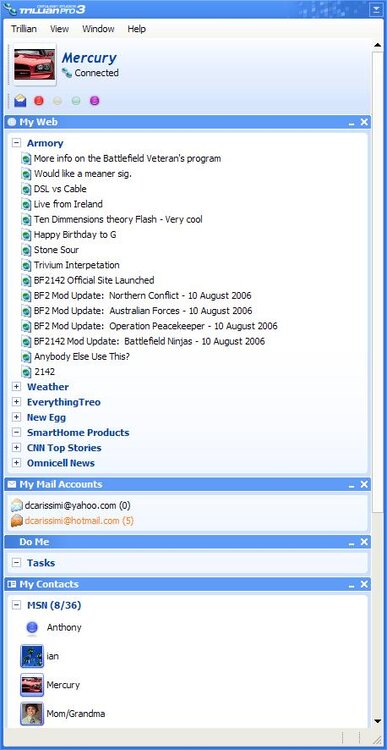
No - but have used this link http://www.thearmory.cc/forum/external.php?type=RSS2 in IE7 which brings a clean web page up and also used RSS plugin for trillian. Merc /monthly_06_2011/post-1024-130810186569_thumb.jpg
-
Thank god you're fixing Impacts sig - it looked like the plane on his old one was taking a dump!
-
OMG! Get Verizon FIOS if available. http://www.verizonfios.com/ Fiber connection..... If only DSL and Cable available and bandwith speed is the same between the two I would take DSL since its more your own circuit. Merc
-
Why do I get the feeling that the police would have love to been there?? Potatoe cannons scare kitty!!