
Biscuit
Registered
-
Joined
-
Last visited
Everything posted by Biscuit
-
-
If COD4 got larger maps, it would be Battlefield on fast-forward. I mean that. The only reason it seems so chaotic and unorganised is because these maps are way too small (but I cannot praise the map-makers enough for making damn near every building enterable in some form). I want you to look at any FPS, though. It's all "wash, rinse, repeat". Some just have a little more variation in between or during each step.
-
9100 USD. No thanks.
-
I'd go white 3px stroke, overlay. But that's just me. I'm really jealous. Been meaning to create a sig almost exactly like that for a while now. 10/10.
-
-
-
Aye. There are already hackers about. I've seen a waller and what looked to be an aimbot. Granted, the "aimbot" didn't go for the head, but it didn't have to. You just can't hit someone with every single shot on full auto at 125, without scoping. Anyway, they're definitely out there. Just remember you can votekick through PB. ^^
-
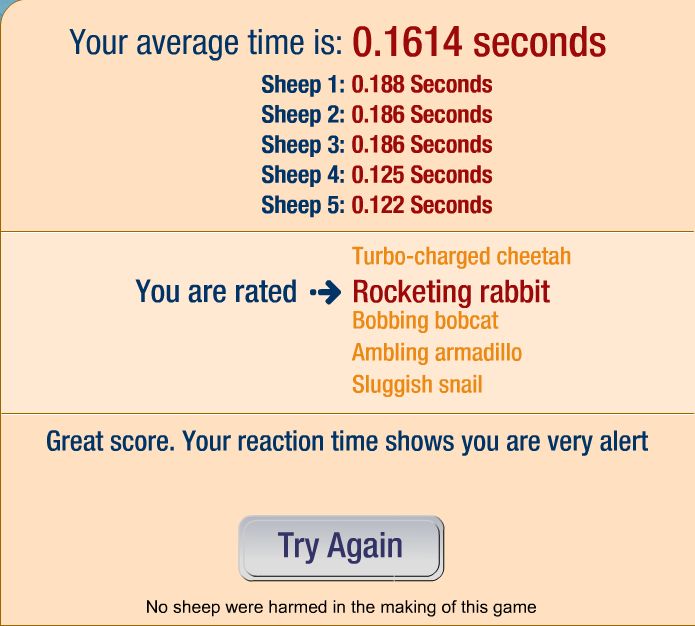
Average - .1602 seconds. Didn't screenshot it, so I imagine I'm going to be "PICS OR IT DIDN'T HAPPEN"'d. xD EDIT: Here's a slightly worse screencapped version, because I played again to avoid the "pics or it didn't happen". /monthly_06_2011/post-1409-130810223832_thumb.jpg
-
I laughed. I do feel bad for you though, buddy. Wish you could play too. :thumbsup:
-
I think it looks like it's worth a demo looksee, if nothing else. It looks a bit arcade, but still fun. =)
-
You know what? I think I just might camp outside WalMart tonight. I haven't had the chance to do it with other games, so I might as well do it with COD4.
-
6th, but one day doesn't really matter anyway. ^^
-
I'll be a Supreme Commander someday.
-
And that, ladies and gentlemen, is how we got AIDS.
-
Kia Rio - 8.000.
-
Most of sigs (I'd say 90%) need a border. It is a rarity that you'll find a sig that doesn't.
-
-
If you can get on Vent, I can give you some tips and help you through a signature, but just to immediately address the things you have talked about in your last two posts -- 1.) What you called a "theme" is more commonly referred to as a "render", which is just a cutout of a character or person. Render = Cutout of person or thing. Stock = Picture. It can be of anything. A stock is just a picture. You will hear these two terms very often. 2.) C4D is a program that is used to make 3D objects. 3.) To layer something, just click, in the bottom-right corner (by default), the "Create New Layer" button. 4.) To insert a photo, you can generally just click-drag. Open sig (400x100 palette), open picture, click picture, drag picture onto palette. Then press Ctrl+T and hold shift while you resize.
-
-
It looks like you just took a picture and MS Painted some text onto it. Needs lots of work. Hehe. Text is shoddy. You could easily crop out more of the vertical and make it 400x100 successfully and still keep proportions nice and pretty. Also, add some effects. Sigs like that need something extra -- sometimes even just a border -- to be "complete" or else you just have a screencap with text on it.
-
This. Futureweapons does not speak for military testing. Yes, Dragon Skin is nice in its own conditions, but out in Iraq and Afghanistan (ie., military conditions), the glue that held the pieces together melted. It failed -- miserably, I'll have you know -- time and time again. I won't even address the fact that after some tests, the very first shot went through COMPLETELY with a 7.62 round. That's a pretty large problem. http://www.militarytimes.com/static/projects/pages/dragon_skin_release_000121may07.pdf Take a look at that. I think that settles the debate. If you still need more, this pretty much clears up everything you could possibly care to know... http://www.professionalsoldiers.com/forums/showthread.php?t=14523 Let me stress: Dragon Skin's problem isn't stopping rounds. It's great at that, in SOME CONDITIONS. Its problem lies in standing up to the extreme conditions of today's combat, and environmental conditions. It isn't some conspiracy to give our soldiers armour that won't save them, by the way. We're giving them the best that they can get right now.
-
Because it doesn't perform as well as what we give them. It's been proven time and time again. Dragon Skin is subpar.
-
I feel so out of the loop. Hehe.
-
-
That is a seriously badass costume... One of the best I've seen.
