

Gator
Administrator
-
Joined
-
Last visited
Everything posted by Gator
-
Update! Server will have to be moved to Los Angeles. Here is a sample IP at the new data center: 162.244.52.251 Los Angeles
-
I received the following email from our GSP (Game Server Provider): I am in the process of setting up a new account, and getting our server set up. This comes as a great shock to me, and I am dealing with the situation as best I can, so hopefully the transition will be smooth and seamless. I will keep you informed as I learn more. Larry (Gatornade)
-
Nice meeting you last night, and look forward to seeing you in TS and joining us on the server. :klinked:
-
Can I write a letter and then eat it? :biggrin:
-
Here is a short video of the new editor that will eventually be coming to the website. Here are a few of the key features: Be sure to go to full screen for better viewing...
-
-
It's already installed on our server. They fixed the "Hardcore" mode from not loading on restarts. All Admins take note.
-
The list is a tad bit redundant, as it is only copied from the gameME stats, and is not needed. Please refer to the gameME stats for a listing of members using the [TAC] badge. A current listing of clan members can be found here. If you are a clan member, and do not see your name here, please send a PM to ACS or myself and we will add you. You must also ask to be listed on The Armory Platoon for BF4, so click APPLY to join the platoon.
-
Looks like a good deal, ACS. It's a fun game, and I am sure it is much more polished. They finally added Hardcore mode, but too late for me.
-
I tried this step, and never got kicked from the game afterwards. 3. reset host files https://support.microsoft.com/en-us/kb/972034 and I never got kicked from the game again
-
1. Download and use Firefox for best results 2. flush dns http://help.ea.com/en/article/how-to-flush-dns-cache-for-windows/ 3. reset host files https://support.microsoft.com/en-us/kb/972034 4. reset default browser 5. uninstalled reinstalled battlelog web plugin 6. restart pc
-
I have a ASRock Z77 Extreme4 motherboard with an Intel chipset onboard, and I found this utitity helpful to make sure my drivers are up-to-date: Download from Intel here.
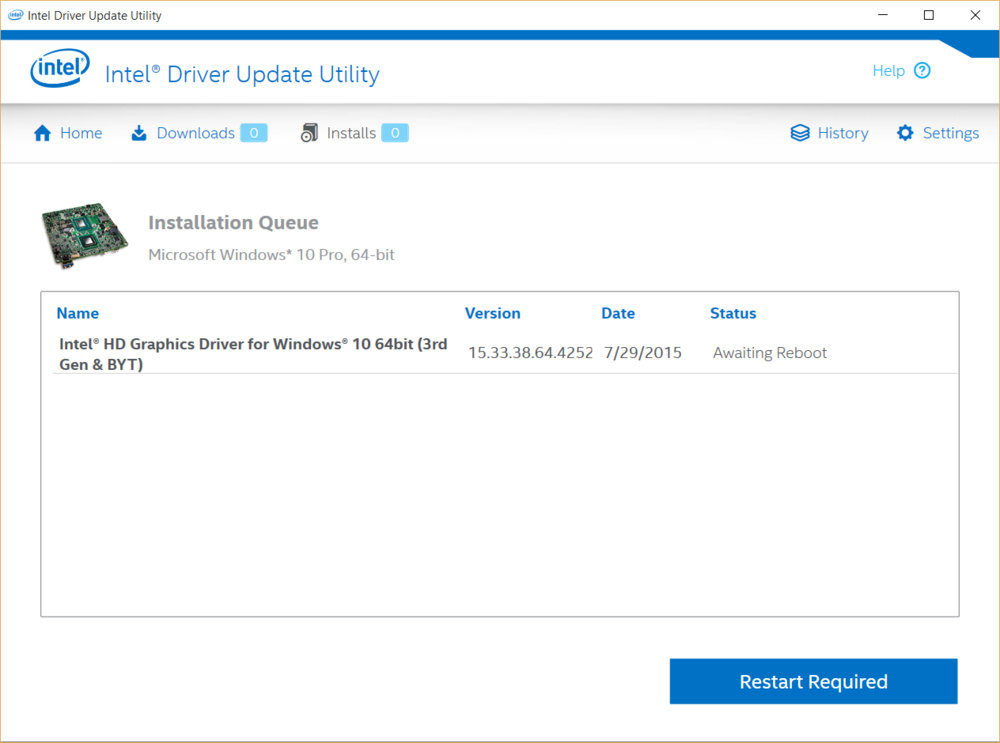
-
While browsing the EA forums, I found this new EA help forum. You may want to check here first if you have an issue.
-
Hey EffinRed, many of us had the same problem. We discovered that when the game starts to load and you see the BF4 icon in your Windows Taskbar, immediately click on it and bring up the full game screen and wait. Usually on one try, but it may take a few.
-
At first I didn't like it, but after playing 4 rounds of it, I discovered what works well for me. This made the map fun, and I look forward to playing the other night maps coming soon. Now that I will not be purchasing Battlefront, I look forward to more BF4 content until Battlefield 5 is released.
-
Completed all items for server patch including a functioning "Votemap" All is working well now, so all we have to do is join the server and get her going. :smile:
-
Very informative, and the ending was very touching and true. Thanks for sharing. :klinked:
-
Why are you selling your computer? Looks like a decent rig
-
Everything has been fixed.
-
OK, I have a functioning "workaround" for the Hardcore issue until DICE releases a server fix, so the server will now stay in Hardcore mode. Also, I have the new Night Operations map as the starter map for those who wish to explore it.
-
Website Update: I just updated the website to the latest version, however I have some major issues with the update. For the first time, I didn't back up the database as I should have, and I was sweating bullets trying to complete the update. During the update, things went horribly wrong, so you may have experienced the outage for about 290 minutes today. The site is running fine now and all is good, and in the future, I will create a backup first. :smile: Game Server: I've been corresponding with our Game Server Provider (GSP), because we still have several issues concerning the new update: 1. The server keeps defaulting back to a "Custom" server, and we are awaiting a fix from DICE. You will notice not many Hardcore servers showing on your filter list. The server that show Hardcore eventually lose the "Hardcore" status upon restart 2. Even when I get the server to "temporarily" run as "Hardcore," It is not showing up for most people on the master Battleglog listing. I will keep you abreast as to these issues as I solve/receive them. Larry Kemp Gatornade
-
The new map will not automatically download during the update. They are separate items. If you want to play the new map pack, you must go to the EA Store and search for "Night Operations," and add it to your cart. I don't know why they did it this way, but I thought I would save you the grief we experience this morning. Thanks to Izded for finding the information for us.
-
Support ticket received, and Drakula has been added. Let me know if it drops him again.
-
A second support ticket has been sent today for Drakulya. Hopefully they will figure out what may be going wrong with his name.
-
Yes, just the one night map


