Gator
Administrator
-
Joined
-
Last visited
Everything posted by Gator
-
Battlefield 4 Patch R51It looks like the summer Battlefield 4 patch R51 will be coming on 1 September. Here is a message from our GSP: We are in the process of setting up the next patch from Dice. The patching will begin on Sept 1st 2:00am EST. During that downtime we will also push out server restarts for the latest MS patches. Here are the patch notes. New options to be deployed. Summary of changes: Battlelog update to support BF4 Summer Patch Game server R51 release to support Summer Patch Night Operations DLC release (free for all) Server crash fix Server fix for game stall ( same as crash) Thank You. Trinity Staff R51 Document Changes (added) New features and fixes: · New map added (Zavod: Graveyard Shift) · Three new experiences added to take advantage of the new map (NIGHTSMALL, NIGHTINF, NIGHTLARGE) · Netcode improvements: - Added support for high tickrate (currently disabled, it will be enabled at a later date after live testing is performed) - Improved “rubber banding” handling - Improvements to reduce “dusting” effect on fast moving vehicles (mainly jets) - Updated server stall detection · Skill based team balancer: The new team balancer is a start-of-round balancer. It is designed to balance lopsided servers by breaking up teams over several rounds. The team balancer works by: - Taking both team sizes and skill into consideration. It works by: - Rebuilding the teams based on skill after every round - Keeping squads & friends together - Preventing excessive team stacking - Assigning joining players by skill during rounds - Replaces players that previously left the game with new joiners - Evaluating manual team switching on a case by case basis and refuse team switching which may ruin the balance of the server - Attempting to prevent team stacking by being more restrictive of high skilled players trying to switch to the better team - Freely allowing team switching when there are very few (less than 5v5) players on the server - Being enabled in “bigger” team based game modes only It is enabled by default on Official servers, it can be controlled on non-Official servers by using vars.SkillBasedBalance · Fixed a rare server crash NOTE: I have already added the balancer to the server startup script, so we will see how it goes on Sep 1st. View full record
-
That was very very cool. Thanks for sharing. :smile:
-
I started using real butter a long time ago...
-
If you own a Creative sound card, you may want to download the latest drivers for your Windows 10 OS Here is the link: http://support.creative.com/kb/ShowArticle.aspx?sid=126331
-
Thanks Patches. I don't know what happened there, but I fix it
-
I just received an answer from the gameME stats folks: Dear Customer, thank you for contacting us. The player at http://the-armory.gameme.com/playerinfo/1910 is currently not active and therefore is not listed within the player and clan ranking. By default, players needs to be active within the last 21 days. If this does not fit your needs, you can change the time period at the box "Monitored Gameservers"->"General Options". We hope this reply helps. Best regards The gameME - Team I have changed the setting from 21 days (default) to 100 days. If you have not played for the past 100 days, you will be removed from the active clan listing in gameME stats.
-
Slow202 found a setting in Windows 10 that sends updates to your PC as well as the entire internet (by default). Although it's not a security breech, it may use unwanted bandwidth from your home modem. To disable, go to: All Settings > Update and Security > Windows Update > Advanced Options > Chose how updates are delivered Click on image to see enlargement

-
Nice use of paragraphs. I can't read that ...it makes my head hurt :laugh:
-
Hey Bravo, Support Ticket #6C2A719626A9D6C5 created: You have been manually added to the roster. Thanks for bringing this to our attention. Also, anyone else whose name does not display in the clan listing, please let us know. Larry (Gatornade)
-
Hey Axlerod1, your list was missing 4 names, which I corrected. Also, all names have been added to the reserve slot list.
-
Every now and then I try to enhance the web site, so I thought I would keep you updated. I have added the following features/plugins: - When you scroll down any page, the navigation menu will remain visible at all times. Go Ahead and try it now. - I have added a message at the top of the forum, as you can see, however you can click the "X" and make it disappear for good. The message will always reappear if I modify it in any way, so don't be alarmed if you see it again. - I am experimenting with some forum rank icons, so any feedback would be welcomed. You may see different ranks in the next few weeks. When I am finished, please let me know which ones you like the best.
-
Not all of these folks have signed up for the website. It is mandatory they sign up prior to displaying the [TAC] badge.
-
Hey Tilgado, who's the daddy? :klinked: ...lol Congrats!
-
I added another version of the forum grey skin that has squared avatars vs. rounded. If you do not see squared avatars, go to the bottom of the page and select squared or rounded. The choice is your.
-
I am looking forward to the patch, but not so much for the night maps.
-
I just ordered a new mouse from Amazon. It has high ratings and lots of buttons. I'll let you know how it works out when I get it in and put it through the test. More pictures and specs can be found here: http://www.amazon.com/gp/product/B00AAQRNQ8?psc=1&redirect=true&ref_=od_aui_detailpages00 [ATTACH]4252.IPB[/ATTACH]
-
The first official post I have found discussing the next Battlefield to be released in 2016. http://www.gamespot.com/articles/new-battlefield-confirmed-for-2016-release/1100-6429344/
-
Installed nicely for me, and works great. Looks great as well. Besides, I really liked the price. :smile:
-
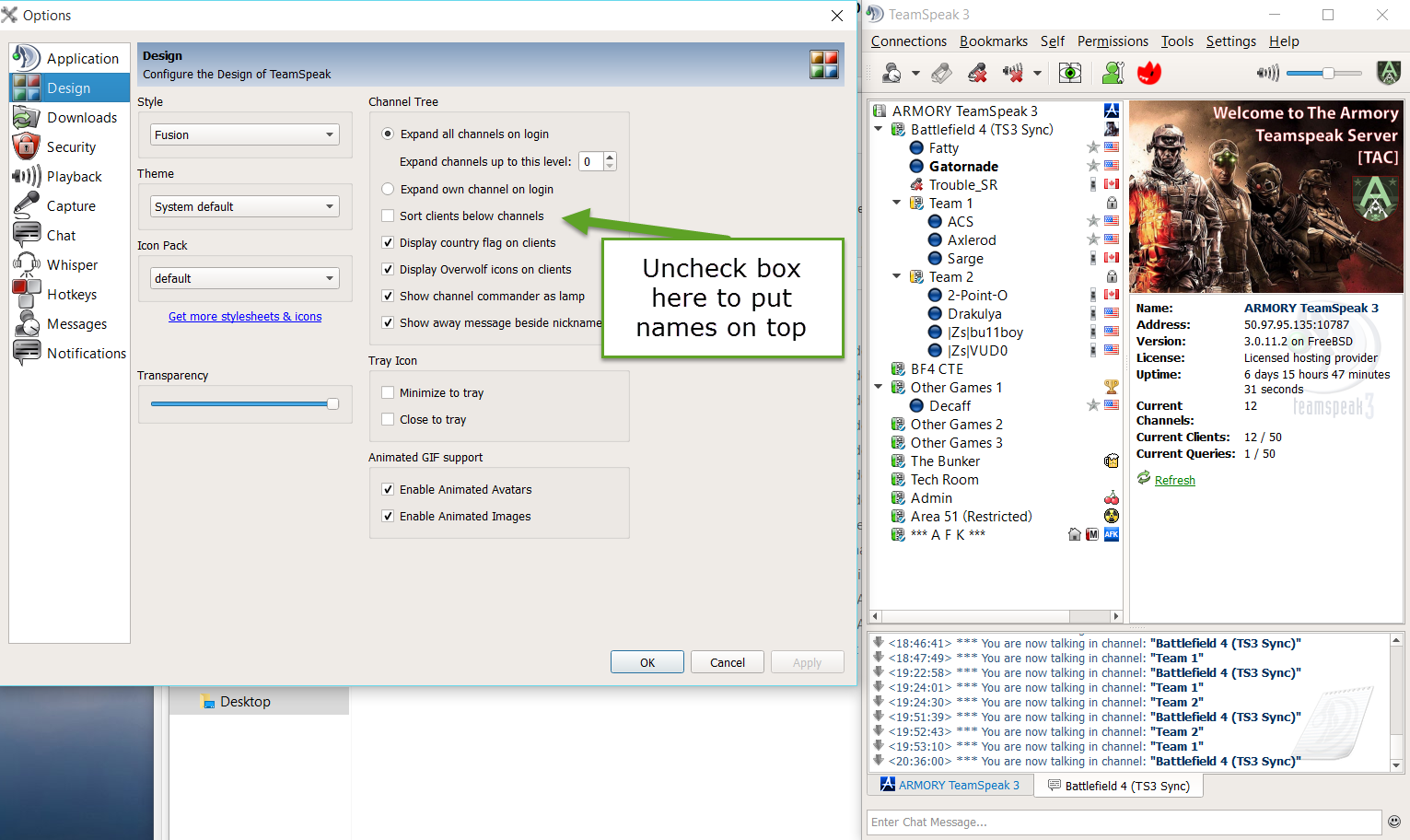
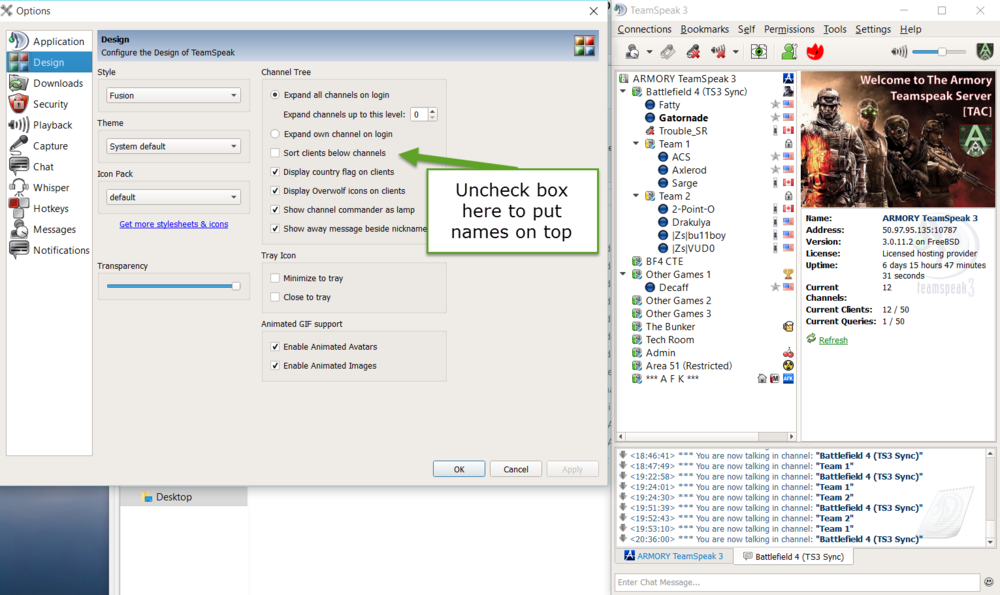
Places the names on top of the sub channel to make it easier to identify the channel. See attached image. Note: Click image below for enlarged/clear image
-
Well, we packed um in last night and had some good games. Some of the guys were missing you, so I did my Axlerod moan imitation to put them at ease, and it worked. All kidding aside, we missed ya last night, but as you know, there is always another night. By the way, the ProCon balancer was being a little bitch last night, so I fired up BFRCON, and enabled the balancer plugin. Seemed to work alright, but tonight will be the true test.
-
Create an ISO file using the tool I listed above, and then boot up and do it from there.
-
If you are making a bootable DVD or USB drive from the download file, you will need this tool that Microsoft recommends http://wudt.codeplex.com/
-
Yes, it is a free copy if you already own Win 7 or 8. It will not ask you for a key code when upgrading. yes
-
Me too ...lol I just installed it, and love it. Slicker than all get out. I am very impressed so far. :biggrin:
-
If you like to get the download now, you can go here to get the download/upgrade tool. I am downloading now, after which I will then install Windows 10 If you are making a bootable DVD or USB drive from the download file, you will need this tool that Microsoft recommends http://wudt.codeplex.com/